

This guide is for agency owners, IT managers, and developers choosing a monitoring platform. Use it when you must weigh a WordPress toolkit against an enterprise suite. Skip it if you need network, server, or cloud monitoring only. Teams comparing website monitoring software for WordPress will find the clearest answer here.
Key Differences
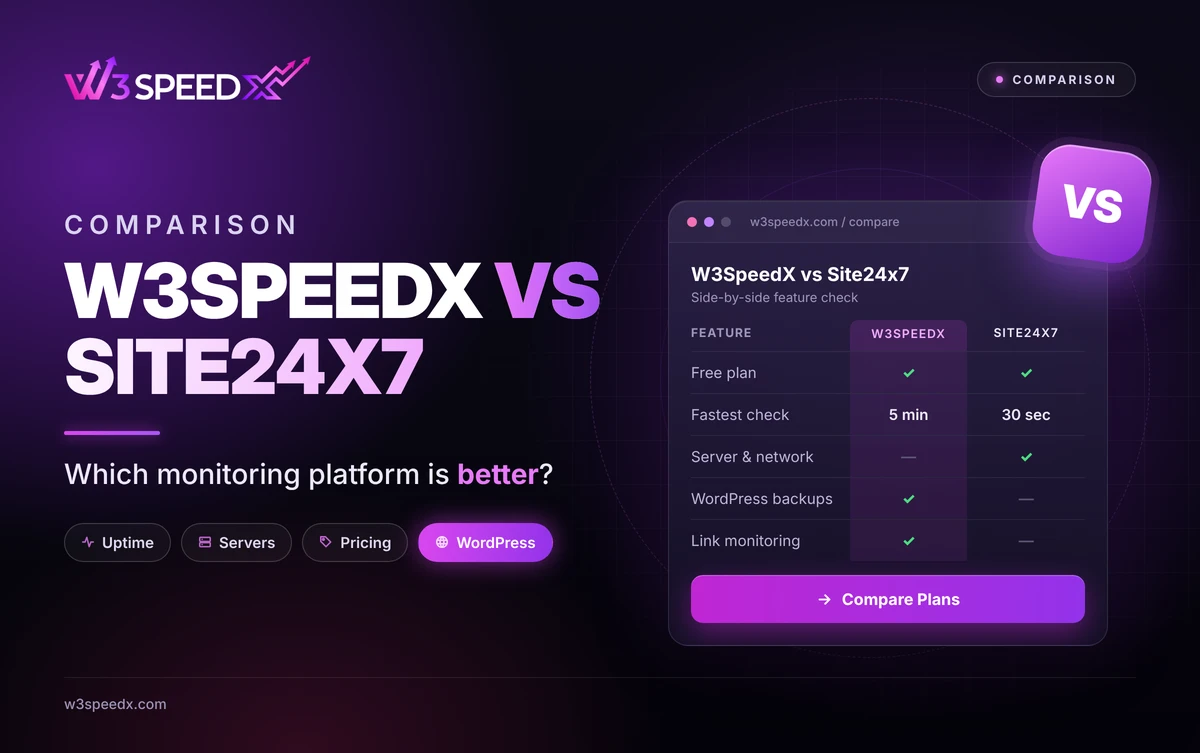
- Scope: Site24x7 monitors websites, servers, networks, and applications. W3SpeedX focuses on WordPress sites.
- Check speed: Site24x7 polls every 1 minute from its Starter plan. W3SpeedX polls every 5 to 60 minutes.
- Extras: Site24x7 adds real user monitoring and transaction checks. W3SpeedX adds backups, link monitoring, and internal linking.
Key Takeaways
- IT teams with mixed infrastructure lean toward Site24x7.
- WordPress portfolios needing backups beside uptime lean toward W3SpeedX.
- Check speed decides how soon an outage surfaces.
What Are These Two Platforms?
W3SpeedX is a WordPress management platform and website monitoring software for site portfolios. Its Uptime Monitor checks every connected site and alerts you by Email, Slack, or SMS. We have worked on these screens for 12 months, since September 2025.
Site24x7 is a cloud monitoring suite. According to Site24x7's plan comparison, every plan includes website monitors. Paid plans add SMS and voice credits plus real user monitoring. Higher plans add more monitors and faster polling, which means cost scales with coverage.
How We Compared Them
On 18 November 2026, I read Site24x7's plan comparison line by line. Then I checked each W3SpeedX claim against the dashboard code. I noticed that Site24x7 offers a free plan with a 10-minute poll, because its paid plans start at 1 minute. It turned out that W3SpeedX starts slower yet bundles WordPress tooling, which means it trades speed for breadth. In my experience, teams pick by workload, not by feature count. I have compared monitoring tools for 10+ years.
Feature Comparison
Feature |
W3SpeedX |
Site24x7 |
|
Website uptime monitoring |
Every connected site |
Core product |
|
Fastest interval |
5 minutes, paid |
30 seconds, Elite plan |
|
Alerts |
Email, Slack, SMS |
Email, push, SMS, voice |
|
Real user monitoring |
Not offered |
Yes, paid plans |
|
Server and network monitoring |
Not offered |
Yes |
|
Performance monitoring |
Site speed checks |
Synthetic and real user |
|
WordPress backups |
Yes, with cloning |
Not offered |
|
Link monitoring |
Yes |
Not offered |
|
SSL expiry warning |
10 days before expiry |
Not confirmed |
|
Free plan |
Yes |
Yes, 5 monitors |
|
Best for |
Agencies running many WordPress sites |
IT teams with mixed infrastructure |
Pricing Comparison
According to Site24x7's plan comparison, the Free plan has 5 basic monitors and a 10-minute poll. Starter costs 9 USD monthly for 10 monitors at 1 minute. Pro costs 35 USD for 40 monitors. Elite costs 225 USD and polls every 30 seconds. The page mentions a 30-day trial.
W3SpeedX bills backups per site. Monthly is free, Weekly 1 USD, Daily 2 USD, Every 12 hours 3 USD, and Hourly 5 USD. A bundle covers up to 100 sites for 100 USD monthly. The Pricing page lists uptime plans.
Pros and Cons
Platform |
Pros |
Cons |
|
W3SpeedX |
One dashboard for uptime, backups, and links. Free tier. Flat per-site cost. |
Slower intervals. No server, network, or user monitoring. |
|
Site24x7 |
Broad coverage, fast polling, real user monitoring. |
Plan tiers add complexity. No WordPress backups or link checks. |
Use Cases: Which Problem Fits Which Tool
- "I manage 30 client WordPress sites." W3SpeedX shows uptime, backups, and broken links in one list.
- "A client hears about downtime before I do." Both tools alert you, though Site24x7 polls faster.
- "I run servers, networks, and apps." Site24x7 covers that infrastructure.
- "I want real visitor load times." Site24x7's user monitoring covers this.
Performance Monitoring and Check Speed
A shorter interval catches an outage sooner, because the next probe arrives sooner. According to OnlineOrNot's uptime calculator, 99.9 percent uptime allows about 43 minutes of downtime monthly. A 5-minute interval fits that budget, whereas a 60-minute interval does not. W3SpeedX adds Web Performance Monitoring for site speed beside uptime.
WordPress carries extra exposure. According to Patchstack's 2025 mid-year report, 6,700 new vulnerabilities appeared in the WordPress ecosystem in six months. According to W3Techs, WordPress runs 39.5 percent of websites. Link monitoring and backups catch trouble that pings miss.
Case Study: How We Built W3SpeedX Monitoring
We built the first uptime screens in September 2025. On 17 April 2026, we locked the free tier to a fixed schedule. On 24 July 2026, we added selectable intervals of 5, 15, 30, 45, or 60 minutes. We found that one check cycle can log many page URLs at the same moment. The result was a recent checks log with one row per cycle. We have revised these screens 50 times. In practice, shorter intervals matter most for stores, because a 60-minute gap can hide an outage for a full hour. Our performance page took shape on 6 March 2026, 6 months before this post.
Site24x7 Alternative Options
If you want a Site24x7 alternative focused on WordPress, start with W3SpeedX. For more options, read W3SpeedX vs Pingdom, W3SpeedX vs Better Stack, and UptimeRobot alternatives. After an outage, Site Cloning and Restore and bulk updates help you recover and patch fast. See Website Uptime Monitoring for the full module.
Which Should You Choose?
Choose W3SpeedX when WordPress sits at the center of your work. Choose Site24x7 when you must monitor servers, networks, and applications. Many teams run both on one live site for 2 weeks before committing. A trial of 14 days shows which alerts you actually use.
Conclusion
W3SpeedX and Site24x7 solve different slices of the monitoring problem. W3SpeedX suits WordPress owners who want uptime, backups, and link checks together. Site24x7 suits IT teams that monitor servers, networks, and applications. Pick the platform that matches your team, then test it on one live site.
To see how W3SpeedX monitors a site, open Website Uptime Monitoring. Compare it with the UptimeRobot comparison for another view.
Frequently Asked Questions
How does W3SpeedX compare with Site24x7 for website uptime monitoring?
W3SpeedX adds uptime checks to a WordPress toolkit. Site24x7 is an enterprise suite covering servers, networks, and applications.
Is W3SpeedX a Site24x7 alternative for WordPress agencies?
Yes, for agencies that want uptime, backups, and link monitoring in one dashboard. It does not cover servers or networks.
How often does W3SpeedX check my site compared with Site24x7?
W3SpeedX checks every 5, 15, 30, 45, or 60 minutes on paid plans. Site24x7 lists 1-minute polling from its Starter plan.
Does W3SpeedX have a free plan like Site24x7?
Yes. The free tier uses a fixed check schedule, and Monthly backups are free.
Does W3SpeedX offer performance monitoring?
Yes. Its Performance module checks site speed, including non-WordPress sites. It does not offer real user monitoring.
How does W3SpeedX pricing compare with Site24x7?
W3SpeedX prices backups per site, from free Monthly to 5 USD for Hourly. Site24x7 prices by plan and monitor count.
Can W3SpeedX monitor sites that are not WordPress?
Yes. Uptime Monitor and Performance also cover non-WordPress sites, such as Shopify or Next.js.
Which W3SpeedX features does Site24x7 not include?
W3SpeedX adds WordPress cloud backups with cloning, link monitoring, bulk plugin updates, and an internal linking tool.