

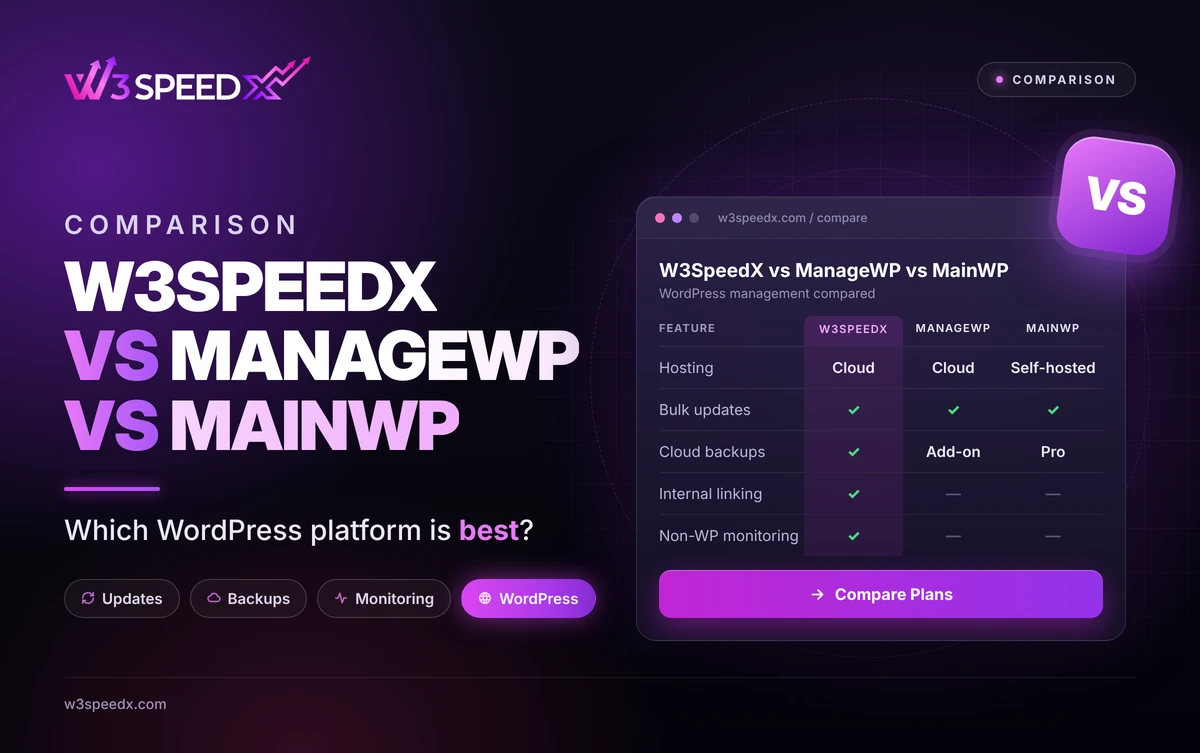
This guide is for agency owners, freelancers, and developers who maintain multiple WordPress sites. It works as a WordPress management comparison for buyers. Use it when you are choosing an agency dashboard for updates, backups, and monitoring. Skip it if you manage one site and update it by hand.
Key Differences
- Hosting: W3SpeedX and ManageWP are cloud-hosted. MainWP runs on your own WordPress install.
- Pricing model: ManageWP charges per site for add-ons. MainWP sells a Pro plan. W3SpeedX prices backups per site and offers a bundle.
- Built-in tools: W3SpeedX adds link monitoring and an internal linking tool. The others lean on add-ons or extensions.
Key Takeaways
- Pick W3SpeedX for one hosted dashboard with backups, uptime, and link checks.
- Pick ManageWP for a free core with per-site add-ons.
- Pick MainWP for self-hosting and a flat Pro price.
What Are These Three Platforms?
W3SpeedX is a cloud-hosted WordPress management platform and website management software for agencies. It handles bulk updates, cloud backups, uptime monitoring, link monitoring, and performance checks. We have worked on W3SpeedX for 14 months, since September 2025. Our update screens have 33 revisions behind them.
According to Post Status, ManageWP rebuilt its platform as Orion. Paid features are priced per site or in 100-site bundles. According to its WordPress.org plugin page, MainWP is a free, open-source dashboard you install on your own server. Your data stays there, which means you maintain the host.
How We Compared Them
On 18 November 2026, I read the ManageWP and MainWP sources listed here. Then I checked each W3SpeedX claim against the dashboard code. I noticed that the three tools split on who hosts the dashboard, because that choice drives setup effort. It turned out that W3SpeedX is the only one of the three with built-in link monitoring. In my experience, agencies choose by workflow, not by feature count. A good maintenance platform fits the way your team already works. I have managed WordPress sites for 10+ years.
Feature Comparison
Feature |
W3SpeedX |
ManageWP |
MainWP |
|
Hosting model |
Cloud-hosted |
Cloud-hosted |
Self-hosted |
|
Bulk plugin and theme updates |
Yes |
Yes, free core |
Yes, free |
|
Cloud backups |
Yes, with cloning |
Paid add-on |
Pro extension |
|
Uptime monitoring |
Yes |
Basic in free core |
Yes, free |
|
Link monitoring |
Yes |
Not confirmed |
Not confirmed |
|
Internal linking tool |
Yes, Interlinker |
Not offered |
Not offered |
|
Non-WordPress monitoring |
Yes |
Not offered |
Not offered |
|
Free tier |
Yes |
Free core |
Free Dashboard |
|
Best for |
Agencies wanting one hosted dashboard |
Teams wanting pay-per-site add-ons |
Teams wanting self-hosted control |
Pricing Comparison
According to MainWP's cart page, Pro costs 29 USD per month. It costs 199 USD per year, or 599 USD for a lifetime licence. According to Post Status, ManageWP's free core covers updates and basic uptime checks. Paid features cost extra per site or per 100-site bundle.
W3SpeedX bills backups per site. Monthly is free, Weekly 1 USD, Daily 2 USD, Every 12 hours 3 USD, and Hourly 5 USD. A bundle covers up to 100 sites for 100 USD monthly. The Pricing page lists every module.
Pros and Cons
Platform |
Pros |
Cons |
|
W3SpeedX |
Hosted, with backups, uptime, and links built in. Free tier. |
No white label branding. Slower uptime intervals. |
|
ManageWP |
Free core, mature platform, per-site add-ons. |
Add-on costs grow with site count. |
|
MainWP |
Free Dashboard, self-hosted control, unlimited sites on Pro. |
You maintain the Dashboard site. Extensions add cost. |
Use Cases: Which Platform Fits
- "I manage 30 client WordPress sites and want one login." W3SpeedX or ManageWP fit, with W3SpeedX adding link checks.
- "I want to own my data and host the dashboard." MainWP fits.
- "I only need free updates and basic checks." ManageWP's free core fits.
Why Bulk Updates and Backups Matter
WordPress carries steady exposure. According to Patchstack's 2025 mid-year report, 6,700 new vulnerabilities appeared in the WordPress ecosystem in six months. According to W3Techs, WordPress runs 39.5 percent of websites. This means every agency needs fast, safe updates across many sites.
Updating blind is risky, because one bad plugin can break a site. A maintenance platform with backups makes updates safer. A backup before each update gives you a way back. Our WordPress backup guide covers the full lifecycle, and Site Cloning and Restore covers rollback.
Case Study: How We Built Bulk Updates and Backups
We built the bulk update dashboard in September 2025. We found that update permissions needed tightening, so we fixed the permission level in December 2025, 3 months in. We added cloning on 2 April 2026 and limited it to owners within 1 day. The result was a flow where Backup Now, a clone, and a restore point sit within a few clicks. We have revised the update screens 33 times and the backup screens 102 times over 14 months. Cloning has been live since 2 April 2026, about 7 months. In practice, agencies reach for Backup Now right before an update. See Bulk Plugin and Theme Updates.
More Reading and Alternatives
For head-to-head views, read W3SpeedX vs ManageWP and W3SpeedX vs MainWP. For other options, see ManageWP alternatives and MainWP alternatives. Add uptime checks with Website Uptime Monitoring and find dead links with Link Monitoring.
Which Should You Choose?
Choose W3SpeedX when you want one hosted dashboard with built-in backups and link checks. That makes it a practical WordPress management comparison winner for multi-site agencies. Choose ManageWP for a free core with per-site add-ons. Choose MainWP when self-hosting matters. Many agencies test two platforms on 3 to 5 sites for 2 weeks before committing. A trial of 14 days shows which tools your team uses daily, because real use reveals gaps. Treat each as website management software you must live with for 12 months or more.
Conclusion
W3SpeedX, ManageWP, and MainWP solve the same problem in different ways. W3SpeedX suits agencies that want a hosted dashboard with built-in tools. ManageWP suits teams that want a free core and pay-per-site add-ons. MainWP suits teams that prefer self-hosting. Shortlist two platforms, then test them on a few real sites.
To see the tools in action, open Bulk Plugin and Theme Updates. For head-to-head views, read W3SpeedX vs ManageWP and W3SpeedX vs MainWP.
Frequently Asked Questions
How does W3SpeedX compare with ManageWP and MainWP?
W3SpeedX is a cloud dashboard with backups, monitoring, and link tools built in. ManageWP uses paid add-ons, and MainWP is self-hosted.
Is W3SpeedX a good agency dashboard for multiple WordPress sites?
Yes. One list shows uptime, backups, and broken links for every connected site, with bulk plugin and theme updates.
Does W3SpeedX need a self-hosted dashboard like MainWP?
No. W3SpeedX is cloud-hosted. You connect each site through the W3SpeedX plugin and manage everything from one account.
How does W3SpeedX pricing compare with ManageWP and MainWP?
W3SpeedX prices backups per site, from free Monthly to 5 USD for Hourly. A bundle covers 100 sites for 100 USD monthly.
Does W3SpeedX offer a free plan?
Yes. The free tier covers uptime on a fixed schedule, and Monthly backups are free.
Which backup options does W3SpeedX offer?
Six schedules: Monthly, Weekly, Daily, Every 12 hours, Hourly, and Realtime. Each backup covers files and database in cloud storage.
Can W3SpeedX monitor sites that are not WordPress?
Yes. Uptime Monitor and Performance also cover non-WordPress sites, such as Shopify or Next.js.
Which W3SpeedX features do ManageWP and MainWP not include?
W3SpeedX adds link monitoring and an internal linking tool, Interlinker, beside backups with site cloning.